How to Save an Embedded Video From a Website (We Tried 6 Real Pages)
Three ways to save a video that is embedded in a web page with no download button: paste the page link, copy the player's own link, or find the file in your browser. Tested on six real pages.
You found the video on a news article, a course page or someone's blog. It plays fine, but there is no download button, and the right-click menu has no Save option. The video has to come from somewhere, though, and the page tells your browser where. Here are three ways to save it, from the easiest to the most hands-on, and what happened when we tried them on real pages.
Method 1: paste the page's link into a downloader that reads the page #
The quickest route is to let a server read the page for you:
- Copy the page's address from the address bar. The page, not the video: you do not need to hunt for anything.
- Paste it into a downloader that scans pages for video files, such as our Download Video From Any Website tool.
- If the page holds more than one file (a thumbnail, a second clip, a poster image), pick the video from the list. Then download the MP4.
The server fetches the page, looks for the player's source, and hands back one MP4 with its sound. Nothing is installed, and it works the same on a phone.
What happened on six real pages #
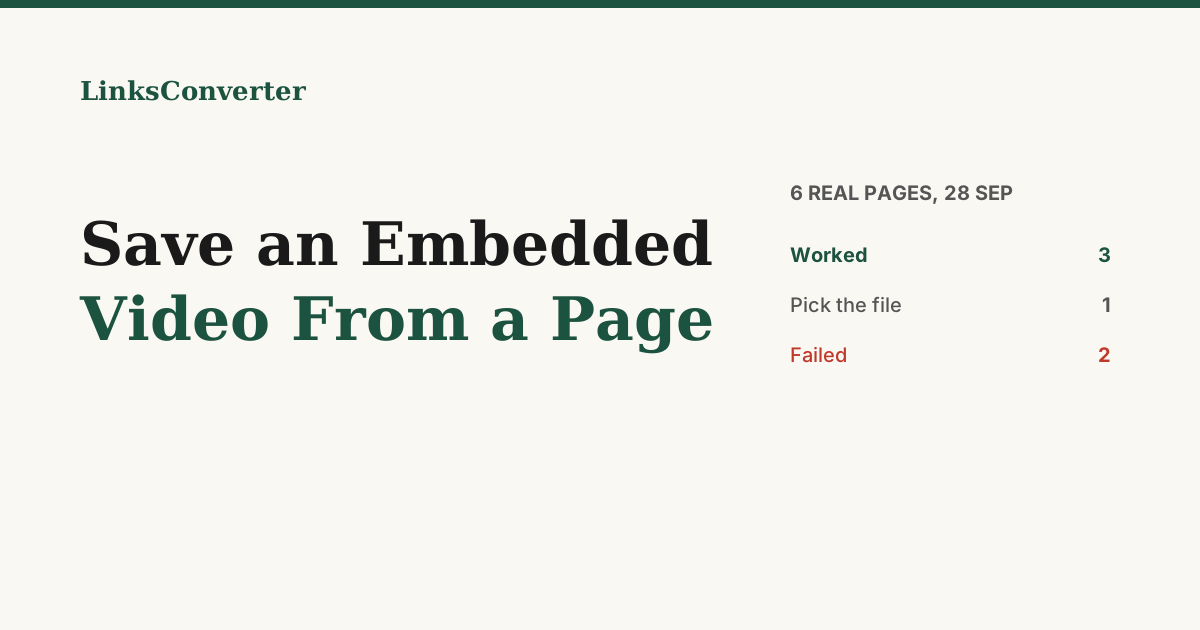
We tried this on 28 September 2026 with six ordinary pages. None of them was YouTube or TikTok itself, and each run kept a 15-second part to keep the test small:
| Page | Result |
|---|---|
| A tutorial page with a plain HTML5 video player | MP4, done |
| A New York Times video page | 1080p MP4 with sound, done in 40 s |
| A CBS News article with a video | 1080p MP4 with sound, done in 45 s |
| A Wikipedia article with a video file | a list of the page's files to choose from |
| A documentation page whose video sits in a frame loaded by script | failed: only the web page came back |
| A tutorial page with an embedded YouTube player | failed: the player was not recognised |
So three worked straight away, one needed a click to pick the file, and two failed. The two failures are exactly what the next two methods are for.
Method 2: copy the player's own link #
Many embedded videos are really YouTube or Vimeo videos in a frame. The embedding page adds nothing, so skip it and take the video's own address:
- YouTube player: right-click the video (long-press on a phone) and choose Copy video URL, or click the YouTube logo in the corner of the player to open the video on YouTube and copy the link there.
- Vimeo player: click the Vimeo logo or the video's title in the player to open it on Vimeo, then copy the address.
Paste that link into a converter such as the URL to MP4 converter. This is the fix for the embedded YouTube player in our test: the page's link failed, the video's own link works.
Method 3: find the file in your browser's developer tools #
When the player is hidden inside frames and scripts, you can read what the browser loads:
- Open the page on a computer and press F12 (on a Mac, Cmd+Option+I) to open the developer tools.
- Choose the Network tab and type mp4 in its filter box.
- Play the video. A request for the video file appears in the list.
- Right-click it, choose Copy and then Copy URL, and paste that address into the URL to MP4 converter.
If nothing shows up for mp4, type m3u8 instead. Many sites stream video as hundreds of small pieces with a playlist file (.m3u8) that lists them, which is also why the player's source can look like blob:https://…. Copy the playlist's address and paste it into the M3U8 to MP4 converter, which fetches every piece and joins them into one MP4 with the sound.
Copy the address and convert it right away: many sites sign these links so they stop working after a few minutes.
When none of this works #
Some videos are protected on purpose, and no method will save them:
- DRM. Netflix, Disney+, Max and other paid services encrypt their streams. We do not get around copy protection for anyone, and neither should a tool you trust.
- A login. If the video only plays while you are signed in, a server outside your session cannot reach it.
- Links that only answer their own player. Some sites check that the request comes from their page. The file address then fails anywhere else, however quickly you copy it.
Screen recording is the last fallback for a video you are allowed to keep: it records what plays, at the quality of your screen.
Wrapping up #
Start with the page link: it is one paste, it worked on three of our six pages, and on a fourth it found the files for you to pick from. If it fails, take the player's own link, and if the player hides its source, the Network tab shows you the file.
Try it free: Download Video From Any Website → or M3U8 to MP4 →
Frequently asked questions
Can I download a video that has no download button?
What is the easiest way to save an embedded video?
How do I get the link of an embedded YouTube video?
What does a blob: address in the video's source mean?
Do I need to install anything?
Is it legal to save an embedded video?
Free file converters & video downloaders
No sign-up, no watermark, no email. Convert and download files online in seconds.
Browse all converters