How to Download Medal.tv Clips (No App, No Sign-Up, 2026)
Medal clips are among the most reliable things we download — 2.4% failure across 295 real jobs in the 30 days to 4 September, against 35% for Facebook. Here is how to save one as an MP4, and why the invite link in your URL is harmless.
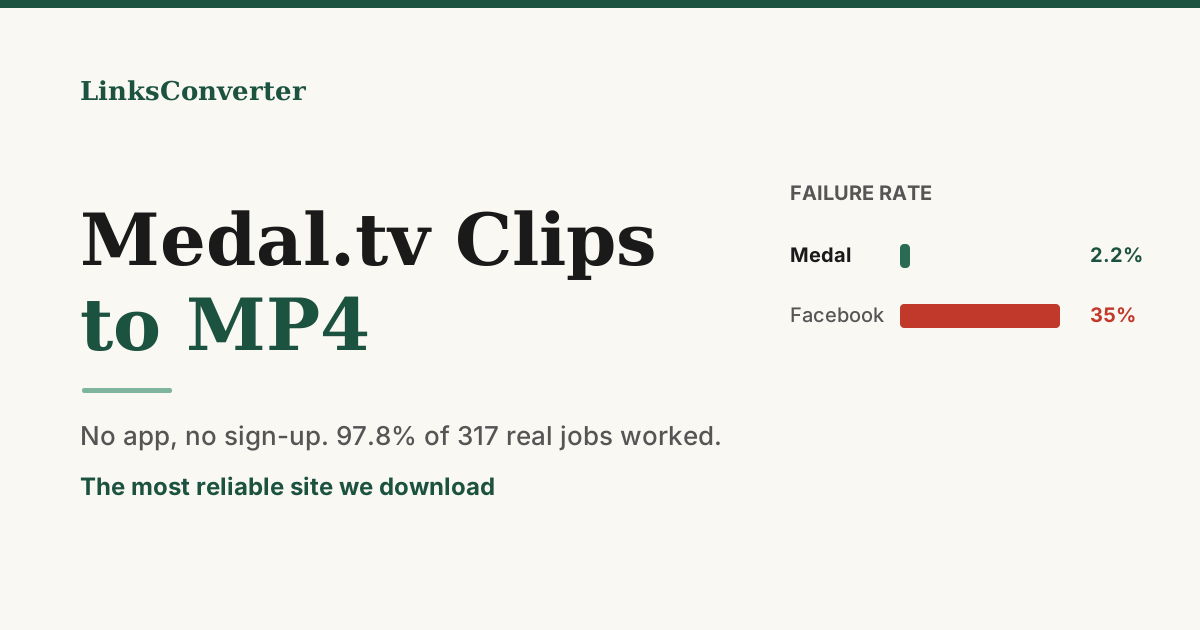
Medal.tv is the quietest success story in our logs. Nobody writes guides about it, nobody argues about it on Reddit, and it downloads better than almost anything else we handle.
Here is what 30 days of real jobs on our servers look like, by source:
| Source | Jobs | Failed |
|---|---|---|
| Medal.tv | 295 | 2.4% |
| Xvideos | 147 | 0.7% |
| 501 | 10.2% | |
| TikTok | 289 | 11.1% |
| YouTube | 3,208 | 14.0% |
| Vimeo | 236 | 19.9% |
| 845 | 35.0% |
Medal sits near the top for one boring reason: clips there are public by default. Facebook was built as a private network and most of what people post keeps those defaults, which is one reason a third of Facebook links failed for us. Medal was built for sharing a highlight with strangers. Almost every clip is genuinely reachable, so almost every clip downloads.
⚡ The 30-second answer
- Copy the clip URL — the address bar works, so does Share → Copy link.
- Paste it into a downloader and choose MP4.
- Leave the ?invite=… part in. It does nothing to the download.
- No app, no account, works the same on a phone.
Step by step #
- Open the clip. On the Medal site or in the app, click the clip you want.
- Copy the link. Use the Share button, or just copy what is in your browser's address bar. It will look like
medal.tv/games/fortnite/clips/nq…. - Paste it into our Medal to MP4 downloader.
- MP4 or original. The downloader gives MP4 (H.264) for maximum compatibility — phones, editors, Discord, everything. For the untouched file exactly as Medal stores it, paste the link on the home page and choose Original file.
- Download. The file lands in your normal downloads folder.
That is the whole process. There is no browser extension to install and no account step.
About that ?invite= in your link #
Nearly every Medal link people paste to us looks like this:
https://medal.tv/games/fortnite/clips/nqv1eqz9okrn1GWGF?invite=cr-MQ...
That trailing parameter is a referral tag Medal attaches when you share. People strip it out because it looks like tracking junk that might break something.
MP4 or "original"? #
Both give you the uploader's recording. The difference is what happens on the way out:
| MP4 (H.264) | Original | |
|---|---|---|
| Plays on iPhone/Android | Always | Usually |
| Drops into a video editor | Always | Sometimes needs conversion |
| File size | Slightly larger | Whatever Medal stored |
| Re-encoded | Only if needed | Never |
Two thirds of the Medal clips people ask us for are MP4, and that is the right default. Pick original only if you are archiving and want a bit-for-bit copy.
When a Medal clip genuinely will not download #
Our Medal failure rate was 2.2% across our first 317 jobs, and the misses cluster into three causes — none of which are a downloader problem:
- The clip is private or unlisted. The uploader restricted it. A logged-out visitor sees nothing, so neither does a downloader.
- The clip was deleted. Medal links stay shaped like valid links after the video is gone.
- You copied a profile or game page, not a clip.
medal.tv/games/fortniteis a category page; it has no single video on it. The URL you want has/clips/in it.
The one test that separates all of these from a real fault takes ten seconds:
Open the link in a private or incognito window while logged out of Medal. If the clip plays there, a downloader can fetch it. If it does not, nothing will.
That test is the single most useful habit for any download that fails, on any site. We wrote up how it applies to Facebook.
Saving clips on a phone #
The Medal app's export path is fine on desktop and awkward on mobile. A browser downloader sidesteps it entirely: open the link on your phone, paste, download, and the MP4 goes to your gallery like any other file. Nothing to install.
This matters more than it sounds. Most clips get shared to a phone — someone sends you a Medal link in Discord or WhatsApp, and you want it in your camera roll, not in an app you do not have.
A note on credit #
Medal clips are somebody's gameplay. Downloading one to watch offline, edit into a montage for yourself, or send to the friend who was in the match is ordinary use. Re-uploading it as your own to TikTok or YouTube is not, and gaming communities are unusually good at spotting it.
If you are building a montage from other people's clips, name them in the description. It costs nothing and it is the difference between a compilation and a repost.
Try it free: Medal.tv to MP4 →
No app, no sign-up, and — going by our own numbers — it usually just works.
Frequently asked questions
Do I need the Medal app installed to download a clip?
Should I remove the ?invite= part of the link?
Why does my clip say it cannot be found?
What quality do I get?
Can I download someone else's clip?
Does this work for Fortnite, Roblox, GTA and CS2 clips?
Free file converters & video downloaders
No sign-up, no watermark, no email. Convert and download files online, often within a minute.
Browse all converters