Why Your Downloaded Video Won't Play (And the One Format That Always Does)
A downloaded video that refuses to open is almost never broken — it is in a container your player cannot read. What MP4, WebM, MKV and HLS actually are, what plays where, and why "best quality" on YouTube hands you a file Windows will not touch.
You downloaded a video. It finished. The file is sitting there, 900 MB of it, and nothing will open it — Windows Media Player shrugs, QuickTime says the format isn't supported, your phone shows a grey box.
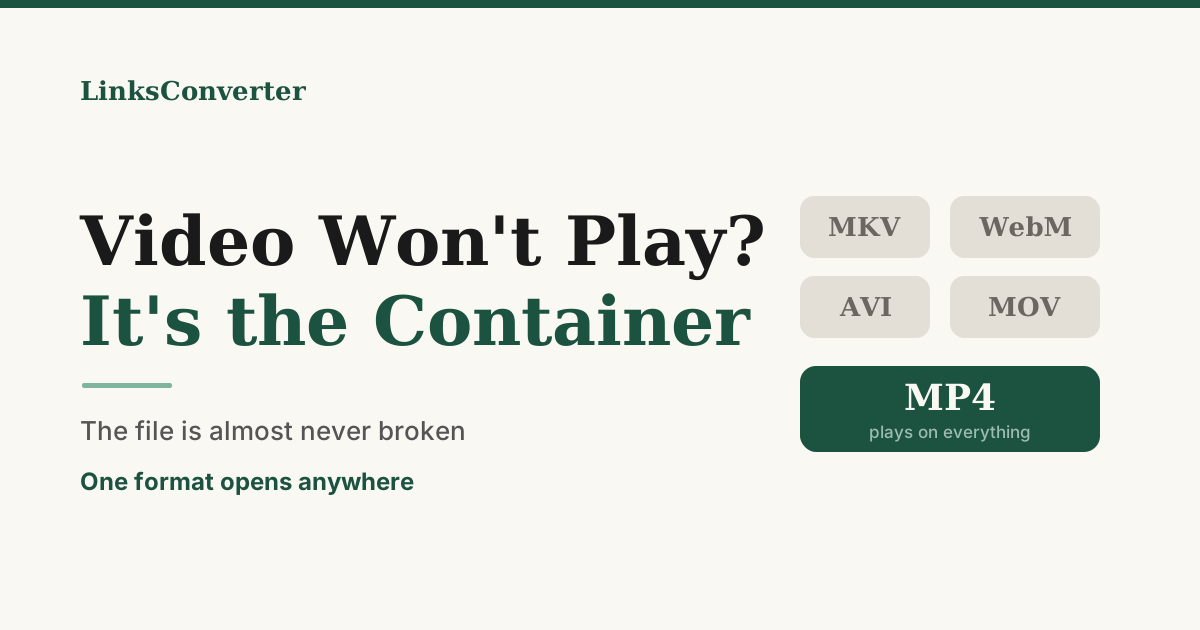
The file almost certainly isn't broken. It's in a container your player doesn't read, and the reason you got that container is that you asked for the best quality available.
Container and codec are not the same thing #
A video file has two parts, and people mix them up constantly.
The codec is how the picture was compressed. H.264, VP9, AV1, HEVC. This is the hard part — the actual maths of turning moving images into a small number of bytes.
The container is the box the compressed video and audio sit in, along with the timing information that keeps them in step. MP4, WebM, MKV, MOV, AVI.
.mp4 on the end of a filename tells you about the box, not what's inside it. Two files can both be MP4 and one plays everywhere while the other doesn't, because the codec inside differs. And the reverse: the same H.264 video works fine whether it's in an MP4 or a MOV, which is why converting between those two takes a couple of seconds — nothing is re-compressed, the streams just move house.
The trap: "best quality" and "will play" are different requests #
Here is the thing nobody tells you when you pick the highest resolution in a downloader.
On YouTube, H.264 — the codec everything on earth can play — stops at 1080p. Above that, YouTube only publishes VP9 and AV1. Both are better codecs; they produce a sharper picture at the same file size, which is exactly why YouTube uses them. VP9 lives in WebM; AV1 comes in MP4 but needs a recent player.
And WebM is a web format. Chrome and Firefox play it because they were built to. Windows Media Player, QuickTime, most smart TVs, a lot of phones and essentially every piece of consumer video software older than a few years do not.
So "give me the best available" and "give me something I can open" pull in opposite directions above 1080p, and a downloader that silently honours the first one hands you a file that fails at the last step.
We know the size of this because it happened on our own service. Over thirty days, thirteen downloads went out as WebM, averaging 1.08 GB each. One came back as feedback with two words: "Won't play." Someone waited for a gigabyte to arrive, double-clicked it, and got nothing. That default is now changed — MP4 is preferred wherever the source offers one — but the underlying trade hasn't gone anywhere, and it's worth understanding rather than working around.
What actually plays where #
| Format | Plays on | Watch out for |
|---|---|---|
| MP4 (H.264) | Everything. Every browser, phone, TV, editor, console. | Caps at 1080p on YouTube. |
| MP4 (HEVC/H.265) | Apple devices, newer Android, recent TVs. | Windows often needs a paid codec. .mp4 does not guarantee it plays. |
| WebM (VP9/AV1) | Chrome, Firefox, Edge, Android. | Not QuickTime, not Windows Media Player, not most TVs. |
| MKV | VLC and little else without help. | Built to hold many audio and subtitle tracks — that's its point. |
| MOV | Apple everything, most editors. | Same H.264 as MP4 in practice. |
| M3U8 / HLS | Safari natively; a streaming player elsewhere. | Not a file. It's a playlist pointing at segments. |
| .m4s, .ts | Nothing, on their own. | Fragments of a stream, not a video. |
| AVI | Old Windows software. | 1992 vintage. Contents vary wildly. |
If you take one thing from that table: MP4 with H.264 is the format that never disappoints. It is not the best-looking option and it hasn't been for a decade. It is the one that opens.
So what should you actually pick? #
Watching it on a phone, a TV or in a browser? Take MP4 at 1080p. You will not see the difference from 4K on a phone screen, and you avoid the entire problem.
Editing it? MP4/H.264 or MOV. Editors handle both natively. VP9 and AV1 will either be refused or transcoded on import, which costs you the quality advantage anyway.
Archiving something you care about? This is the only case where the WebM is genuinely the right file — it's the best copy that exists. Keep it, and keep VLC around, which plays everything.
Already stuck with a file that won't open? Two options. Install VLC, which plays essentially anything and is free — that fixes watching. Or convert it: WebM to MP4 and MKV to MP4 both produce a file the rest of your software will accept.
Worth knowing the difference between those two conversions. MKV to MP4 is usually a remux — the video inside is already H.264, so it moves into the new container untouched. Seconds, and no quality lost. WebM to MP4 is a real re-encode, because VP9 has to become H.264, and every frame is decoded and compressed again. It takes real time on a long file and costs a little quality. Worth it when the alternative is a file you cannot open, but not free.
The other reasons a video won't play #
Container mismatch is the common one, but not the only one.
It's not a video at all. If it opens in a text editor and you see HTML, you downloaded the web page instead of the file — some sites hand you their page when they don't want to hand you the media.
It's a fragment. Files ending .m4s or .ts are pieces of a stream. A single fragment is a few seconds of a video with no header, and no player will touch it.
It's incomplete. A download that stopped early often still has the right name and size on disk. If the video plays for a few seconds and then stops, this is usually why.
The audio codec is the problem, not the video. Rarer, and it shows up as a video that plays silently. Opus audio inside an MP4 does this on older players.
The short version #
A file that won't open is usually a file that was fetched correctly and packaged in a box your player can't read. The fix is almost never re-downloading and almost always picking MP4 with H.264 — or converting to it once and being done.
And if a tool offers you "best quality" without saying what that means: on YouTube, above 1080p, it means VP9 or AV1. Now you know what you're agreeing to.
Frequently asked questions
Why does my 4K download not play when the 1080p one does?
Is a file that will not open corrupted?
What is the difference between a container and a codec?
Does converting WebM to MP4 lose quality?
What are .m4s and .ts files?
Free file converters & video downloaders
No sign-up, no watermark, no email. Convert and download files online, often within a minute.
Browse all converters