Y2Mate vs LinksConverter: Which Actually Works in 2026?
Y2Mate vs LinksConverter — same videos, honest results. One buries you in pop-ups; the other has zero ads. Which downloader actually works in 2026?
A while back I needed to save a YouTube video before a long flight — hours with no signal, you know how it goes. I opened Y2Mate out of habit, and honestly? It was a mess. Pop-ups everywhere, redirects, one fake "Download" button that sent me to a random casino site. By the time I actually had the file, I'd accidentally tapped on three things I never meant to.
That experience made me wonder: are people still using Y2Mate just because it's familiar? Because there are genuinely better options now. So I sat down and compared the two properly — same videos, same formats, same workflow. Here's what I found.
What is Y2Mate, and why do people still use it? #
Y2Mate has been around for years, and at this point that's basically its only real advantage — name recognition. A lot of people just search "YouTube downloader," land on it because it ranks, and use it because they've seen it before. That's it.
When Y2Mate first appeared, the web was more forgiving of sketchy ad setups. Back then it worked well enough. But the web has changed and Y2Mate hasn't kept up. The interface still feels like 2016, and the ads crossed the line from annoying into genuinely dangerous somewhere around 2022. On a phone — how most people browse now — it's hard to tell which button actually does what you think it does.
It still downloads YouTube videos. That part works. But "it works" is a low bar when clicking the wrong thing can land you on a malware page.
What is LinksConverter, and what can it do? #
LinksConverter is a free online tool that downloads YouTube videos — but it goes well beyond that. You can convert YouTube to MP3, download Instagram Reels, grab Facebook and X/Twitter videos, and convert files between formats — all from one place, with no software and no account.
The first time I used it I was genuinely surprised how straightforward it was. Paste link, choose format, download. No account, no app, nothing suspicious in the background. It felt like how these tools should have always worked.
Under the hood #
LinksConverter runs on yt-dlp (the actively maintained successor to youtube-dl) and ffmpeg for conversion — the same open-source tools used in professional video workflows. This matters because yt-dlp is patched constantly to keep pace with YouTube's changing download protection. When YouTube breaks third-party downloaders (which it does, regularly), yt-dlp-based tools recover fastest. It works across 1,000+ supported sites.
Head-to-head: the comparison #
| Feature | Y2Mate | LinksConverter |
|---|---|---|
| YouTube MP4 / MP3 | Works | Works |
| 1080p support | Yes | Yes |
| Instagram / Facebook / X | Limited & inconsistent | Yes |
| File format conversion | No | Yes (1,000+ pairs) |
| No account required | Yes | Yes |
| Ads | Aggressive / hostile | None at all |
| Pop-ups & redirects | Constant | None |
| Mobile usability | Poor | Clean |
| Powered by | Proprietary | yt-dlp + ffmpeg |
The real difference: ads and safety #
This is where the two tools completely part ways.
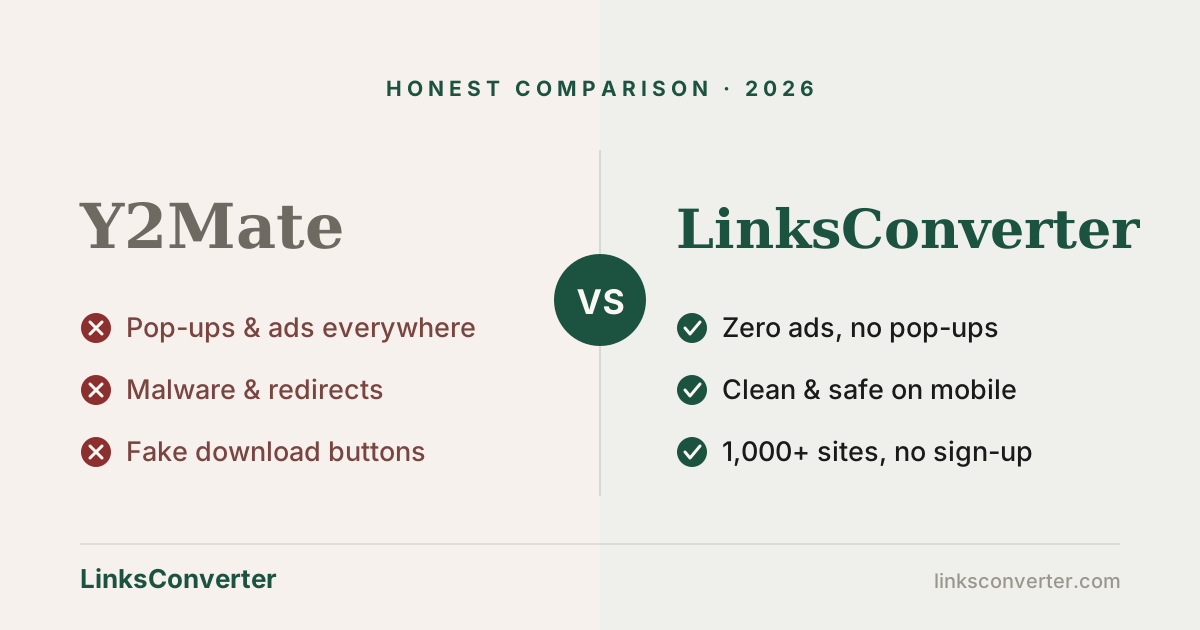
Using Y2Mate feels like walking through a market where every stall is trying to pick your pocket. Many of its ad networks have, at various points, served malware download prompts, fake "virus detected" alerts designed to harvest your details, and redirects to gambling and predatory-loan apps. On a phone without a heavy-duty ad blocker, that's a genuine security risk — not just an annoyance.
LinksConverter handles this completely differently: there are no ads at all. No display ads, no pop-ups, no fake download buttons, no system-warning scares, no redirects. You paste a link, you get your file, you leave. It doesn't treat you like a target — because it isn't trying to monetise your attention in the first place. Files are virus-scanned and automatically deleted after 2 hours.
Platform support beyond YouTube #
Most people come to a "YouTube downloader" for YouTube. But social video has fragmented, and your needs probably aren't YouTube-only anymore.
Y2Mate's focus stays on YouTube; its support for other platforms is inconsistent and the experience there is even rougher. LinksConverter handles the platforms people actually use:
- Instagram Reels and posts — paste the URL, get the video.
- TikTok — including without the watermark.
- Facebook and X/Twitter — public videos download reliably.
- YouTube Shorts — same workflow as regular YouTube.
And if you'd rather just watch a link than save it, there's a free online video player too. The built-in file conversion is a separate practical edge: convert a video or image to another format on the same site, no second tool needed. Y2Mate has no equivalent.
How to use LinksConverter in 4 steps #
- Copy the video URL from YouTube (or Instagram, Facebook, etc.).
- Paste it into the box on linksconverter.com.
- Choose your format — MP4 for video, MP3 for audio — and quality.
- Download. Save the file. No account, no app, nothing to install.
The legal and practical reality #
Most comparison articles skip this, so let's be honest about it.
YouTube's Terms of Service prohibit downloading content without permission — both tools operate in technical violation of that. Separately, downloading copyrighted content without authorisation can run into copyright law. In practice, saving a video for personal, offline viewing sits in a grey area that generally isn't pursued at the individual level; distributing, re-uploading, or commercially using downloaded content is clearly off-limits and is enforced.
What neither tool can do: download age-restricted or private videos, anything behind a login, or DRM-protected content (paid streaming services). If you download regularly and want a fully clean legal route, YouTube Premium offers built-in offline downloads inside the YouTube app.
The verdict #
Y2Mate and LinksConverter aren't really comparable in 2026. Y2Mate was a reasonable tool once; today it's a security obstacle course that occasionally produces a video file when you successfully navigate it. The core still works — but the cost in time, stress, and risk isn't worth it when a cleaner option exists and is free.
LinksConverter is faster to navigate, safe on mobile, completely ad-free, and does more — more platforms, more formats, more tools on one site. The switch is simple and there's no trade-off in output quality.
If you enjoy playing minesweeper with fake download buttons, stick with Y2Mate. For everyone else: try LinksConverter →
Frequently asked questions
Is Y2Mate safe to use in 2026?
Is LinksConverter free?
Can LinksConverter download Instagram Reels and Facebook videos?
Does LinksConverter store downloaded videos on its servers?
Which is faster — Y2Mate or LinksConverter?
Can either tool download age-restricted YouTube videos?
Do I need to install anything to use LinksConverter?
Free file converters & video downloaders
No sign-up, no watermark, no email. Convert and download files online in seconds.
Browse all converters