Why Your MP3 Won't Play in the Car (It's the Sample Rate)
An MP3 that plays on your phone and is skipped by your car stereo is usually 48 kHz meeting a device built for 44.1 kHz — because the audio came from a video, and video runs at 48. How to check, how to fix it, and the other five reasons a head unit refuses a file.
You converted a video to MP3, copied it to a USB stick, plugged it into the car, and the head unit skipped straight past it. Or it showed the track name and played silence. The same file works perfectly on your phone.
This is one of the most frustrating failures in consumer audio, because every obvious explanation is wrong. The file isn't corrupt. The USB stick is fine. The car isn't broken.
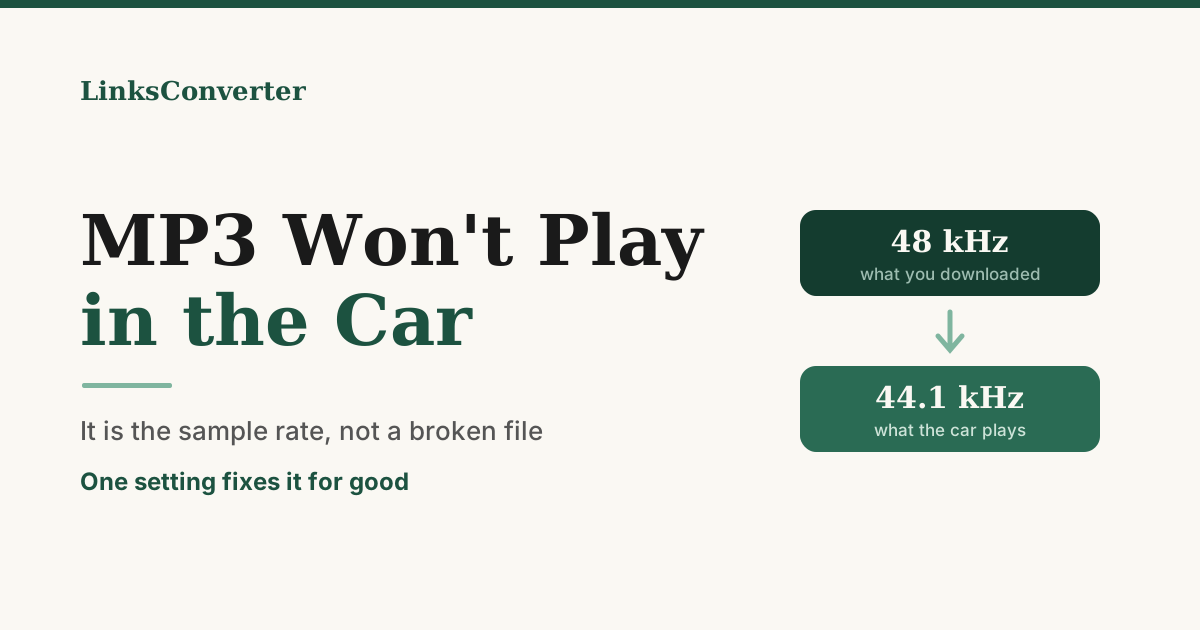
It's almost always the sample rate — and specifically, it's 48 kHz where the car expects 44.1 kHz.
Two numbers that have been at war since 1982 #
A sample rate is how many times per second the audio was measured when it was digitised. More samples, more detail, bigger file.
Two rates dominate, and they come from different industries.
44,100 Hz comes from the CD. The number is an artefact of how digital audio was stored on video tape in the late 70s, which is a genuinely strange bit of history — it was chosen to fit the scan rate of PAL and NTSC video equipment, not because anything about it is musically special. But the CD made it the standard, and for forty years everything to do with music has assumed it.
48,000 Hz comes from professional video. Film, broadcast, and every digital video format since. It divides cleanly into video frame rates, which matters when you're cutting picture and sound together.
Both are fine. Both sound identical to human ears — the difference is far above where hearing stops. The problem isn't quality. It's that MP3 players built for music assume 44.1 kHz, and some of them handle 48 kHz badly or not at all.
Why your file ended up at 48 kHz #
Because it came from a video.
YouTube serves audio as Opus at 48 kHz, because YouTube is a video platform and video audio is 48 kHz. Plenty of other video sites do the same. When you extract audio from any of them, the converter decodes 48 kHz audio and, unless something explicitly says otherwise, encodes an MP3 at 48 kHz.
That MP3 is completely valid. MPEG-1 Layer III supports 32, 44.1 and 48 kHz, and it has since 1993. Every phone, laptop and browser plays it without blinking.
But a car head unit from 2014, a cheap MP3 player, a Bluetooth receiver with a fixed-rate DAC, some DJ software and a fair number of older Android devices were built on the assumption that MP3 means 44.1 kHz. Some resample it badly. Some play it at the wrong speed. Some skip the track and move on without telling you why.
We found this in our own output. Every MP3 the converter had produced was 48 kHz — checked across unrelated videos, the same number every time — for exactly this reason: the source was 48 kHz and nothing had ever said to change it. That's now fixed and output is 44.1 kHz, but the same thing is true of most converters, including ones you'd expect to know better.
How to check what you have #
On Windows: right-click the file, Properties, Details tab. There's a "Sample rate" or "Audio sample rate" row.
On macOS: select the file, press ⌘I, look under More Info.
Anywhere, precisely: MediaInfo is free and tells you everything about a file.
If it says 48.0 kHz or 48000 Hz, and your car won't play it, you have your answer.
Fixing it #
The straightforward route is to convert again from a converter that outputs 44.1 kHz. Ours does now — MP4 to MP3 and the link to MP3 converter, from a video link, both produce 44.1 kHz files.
Does resampling hurt the audio? Technically yes, in the sense that any resampling is a change. Practically, at 320 kbps, no — the difference lives in a measurement rather than in listening, and it is very much smaller than the difference between a file that plays and a file that doesn't.
What you should not do is convert your existing 48 kHz MP3 to a 44.1 kHz MP3. That's a second lossy compression on top of the first, and it does audible damage for no reason. Go back to the source and convert once.
When it isn't the sample rate #
If you've checked and the file is already 44.1 kHz, the other usual suspects, roughly in order of how often they're the answer:
Variable bitrate. VBR MP3s change bitrate through the track. Older head units expect constant bitrate and either refuse the file or show a wildly wrong duration. Re-encoding at a constant 192 or 256 kbps fixes it.
The filesystem. Many car stereos read FAT32 only. A stick formatted exFAT or NTFS may not be seen at all — and this presents as "the car ignores the USB stick", not as a file problem.
Folder depth and file count. A surprising number of units give up past a few hundred files or more than a couple of folder levels. Flatten the structure and try again.
ID3 tags. ID3v2.4 confuses some older firmware badly enough that it skips the track. Saving tags as ID3v2.3 is an option in most tag editors and costs nothing.
Filenames. Non-ASCII characters — accents, Devanagari, emoji — will stop some units dead. Rename to plain letters and numbers as a test.
The short version #
A file that plays on your phone and not in your car is rarely a broken file. It's usually a 48 kHz MP3 meeting a device that expects 44.1 kHz, because the audio came from a video and video runs at 48.
Convert once from the source at 44.1 kHz and the problem disappears. And if you're choosing a converter, it's worth knowing whether it thinks about this at all — most don't, and the file it hands you is a coin toss depending on where the audio came from.
Frequently asked questions
Why is my MP3 48 kHz in the first place?
Does converting 48 kHz to 44.1 kHz hurt the sound?
Should I convert the MP3 I already have?
How do I check the sample rate of a file?
My file is already 44.1 kHz and the car still ignores it.
Free file converters & video downloaders
No sign-up, no watermark, no email. Convert and download files online, often within a minute.
Browse all converters